> ## Documentation Index
> Fetch the complete documentation index at: https://docs.stoneturner.app/llms.txt
> Use this file to discover all available pages before exploring further.
# Add Integrations
> Stoneturner is designed be extensible with an opinionated interface for defining syncs.
The following docs are all self-contained in the `Stoneturner Skill`.
Read the docs and then get started with the Skill
```bash theme={null}
npx skills add jackmuva/stoneturner
```
Each integration lives in its own directory under `src/integrations/` and exports two things:
1. `IntegrationConfig` - this describes how users should authenticate (OAuth, API Key, etc.) and any special configurations
2. `Integration` - the sync pipeline (for OAuth integrations, this includes redirect handler and refresh token mechanisms)
## 1. Project Setup
Clone (and star :)) the Stoeturner repo.
```bash theme={null}
git clone https://github.com/jackmuva/stoneturner.git
cd stoneturner
bun install
```
See the [Quickstart for running Stoneturner locally](/quickstart#option-2-running-stoneturner-locally) for any help getting the bun project up and running
While this isn't a requirement, you/agents can reference existing integrations to build your new integration extremely quickly.
```bash standard template theme={null}
src/integrations/my-integration/
config.ts
integration.ts
db/
schema.ts
queries.ts
models/
models.ts
sync-steps/
sync-data-step.ts
parse-step.ts
```
## 2. `IntegrationConfig` Definition
In `config.ts`, export a config that describes how users authenticate.
```ts config.ts theme={null}
import type { IntegrationConfig } from "@/core/models/models";
export const myConfig: IntegrationConfig = {
integration: "MyIntegration",
icon: "/assets/my-integration.png",
integrationType: "OAUTH", // "BASIC_TOKEN" | "OAUTH" | "API_KEY"
description: "My integration description", //Will be rendered in the front end
docs: "https://docs.my-integration.com/api",
inputs: [ // optional — token/key fields the user enters
{ input: "accessKey", label: "Access Key" }, // allowed keys: accessKey, secretKey, baseUrl
{ input: "secretKey", label: "Secret Key" },
{ input: "baseUrl", label: "API Base URL" },
],
optionInputs?: {
key: "field",
label: "Optional field",
}[],
oauthAuthorizationUrl: "https://app.my-integration.com/oauth/authorize", // optional, but required for OAuth
};
```
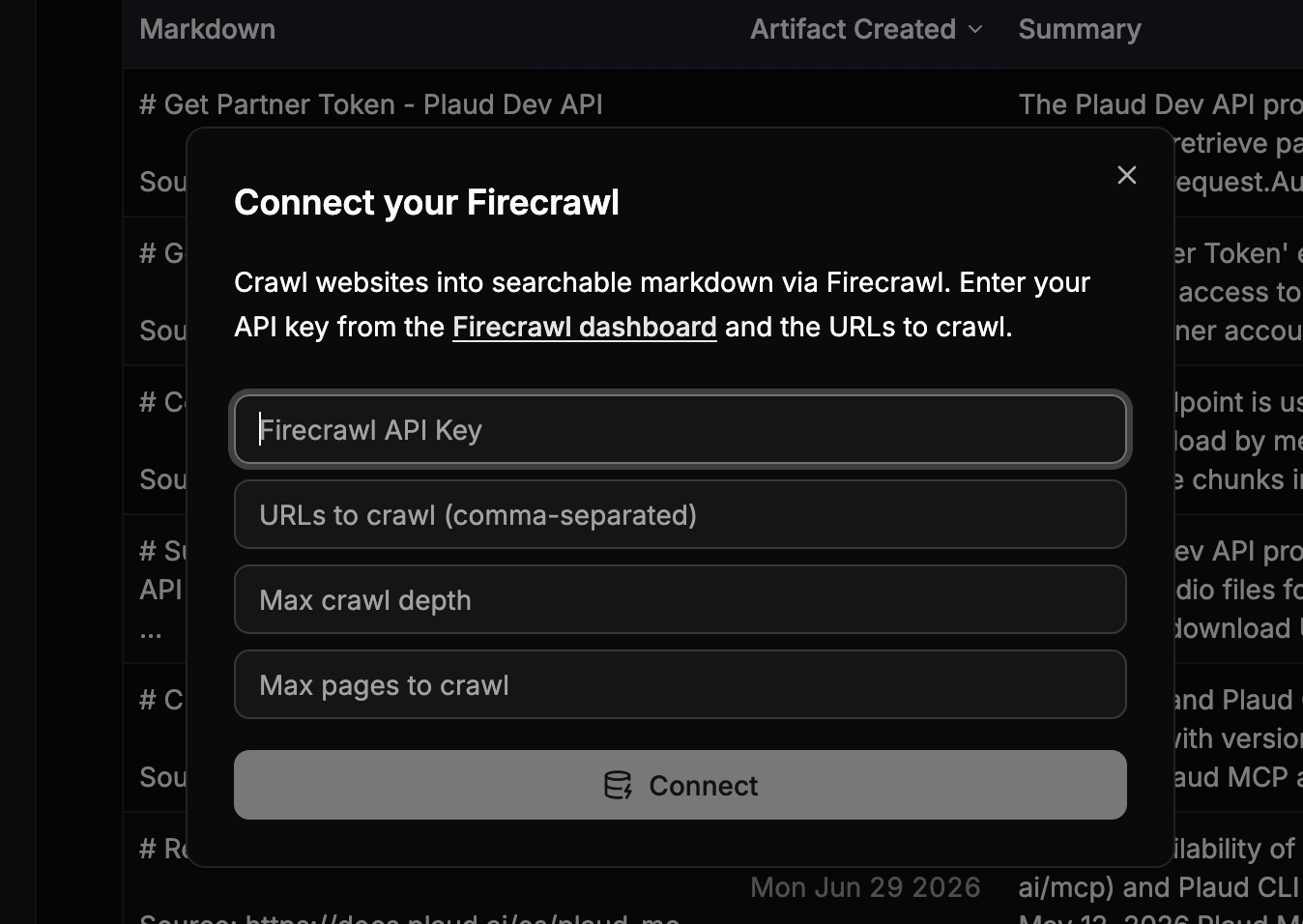
Inputs are rendered on the frontend so you can input API Keys, Client Secrets, and other configurations for Stoneturner to use during syncs
 ## 3. `Integration` Definition
In `integration.ts`, export an `Integration` object with your sync pipeline:
```ts integration.ts theme={null}
import type { Integration } from "@/core/models/models";
import { myConfig } from "./config";
export const myIntegration: Integration = {
config: myConfig,
sync: async () => { /* full sync */ },
syncUpdates: async () => { /* incremental sync */ },
deleteSync: async () => { /* clean up all data */ },
handleRedirect: async (req) => { /* handle OAuth redirect */ },
refreshAccessTokens: async () => { /* refresh OAuth tokens */ },
};
```
Your sync functions should generally follow the standard pipeline:
1. Sync data
2. Parse synced data to Markdown
3. LLM step to extract insights for search
4. Index vector database (embed + upsert)\`.
```typescript theme={null}
export const syncDiscordPipeline = async (incremental: boolean = true, db: SqliteDb) => {
await syncChannels(db);
await syncMessages(incremental, db);
await parseDiscordMessages(incremental, db);
await indexVectorDbStep("discord", incremental, db);
}
```
Syncs also upport incremental updates (i.e. you don't want to re-sync all data every day, incremental updates allow you to sync only new records).
## 4. Database Schemas and Migrations
Add your integration's tables in `src/integrations/my-integration/db/schema.ts`. Each table should give every row a stable, unique business key (e.g. `callId`) and use `onConflictDoUpdate` in its insert helpers so re-syncs upsert rather than duplicate.
Then point Drizzle at your new schema in `drizzle.config.ts` so your schema changes will be available in Stoneturner's Turso DB.
```ts drizzle.config.ts theme={null}
export default defineConfig({
schema: [
'./src/core/db/schema/*',
'./src/integrations/gong/db/schema.ts',
'./src/integrations/my-integration/db/schema.ts', // add yours
],
// ...
});
```
Finally, generate and apply migrations:
```bash theme={null}
bun run generate
bun run migrate
```
This updates the local `stoneturner.db`. In dev mode (`BUN_PUBLIC_DEV_MODE=true`), a separate test database is created so you can iterate without affecting production data.
## 5. Register Your Integration
Add your config to `src/integrations/config-registry.ts`:
```ts config-registry.ts theme={null}
import { myConfig } from "./my-integration/config";
export const configRegistry: IntegrationConfig[] = [
gongConfig,
myConfig, // add yours
];
```
Add your integration to `src/integrations/sync-registry.ts`:
```ts sync-registry.ts theme={null}
import { myIntegration } from "./my-integration/integration";
export const supportedIntegrations: Integration[] = [
gongIntegration,
myIntegration, // add yours
];
```
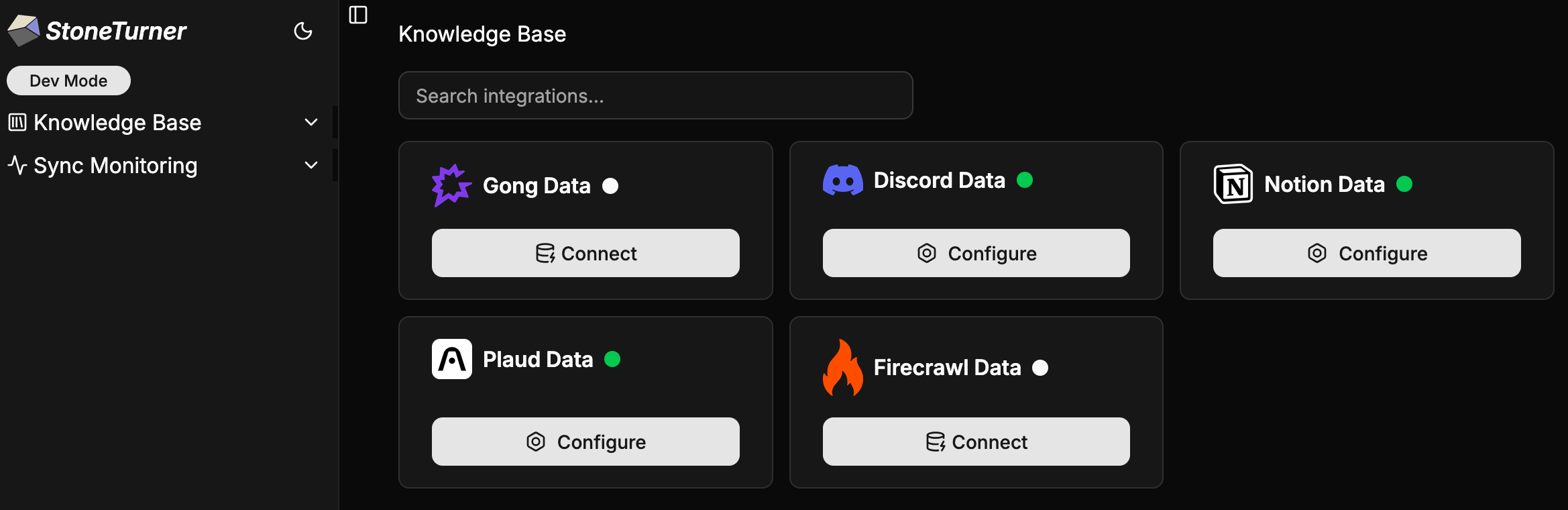
The config registry powers the frontend credential UI; the sync registry powers sync dispatch. An integration must be in both to be fully wired up.
## 3. `Integration` Definition
In `integration.ts`, export an `Integration` object with your sync pipeline:
```ts integration.ts theme={null}
import type { Integration } from "@/core/models/models";
import { myConfig } from "./config";
export const myIntegration: Integration = {
config: myConfig,
sync: async () => { /* full sync */ },
syncUpdates: async () => { /* incremental sync */ },
deleteSync: async () => { /* clean up all data */ },
handleRedirect: async (req) => { /* handle OAuth redirect */ },
refreshAccessTokens: async () => { /* refresh OAuth tokens */ },
};
```
Your sync functions should generally follow the standard pipeline:
1. Sync data
2. Parse synced data to Markdown
3. LLM step to extract insights for search
4. Index vector database (embed + upsert)\`.
```typescript theme={null}
export const syncDiscordPipeline = async (incremental: boolean = true, db: SqliteDb) => {
await syncChannels(db);
await syncMessages(incremental, db);
await parseDiscordMessages(incremental, db);
await indexVectorDbStep("discord", incremental, db);
}
```
Syncs also upport incremental updates (i.e. you don't want to re-sync all data every day, incremental updates allow you to sync only new records).
## 4. Database Schemas and Migrations
Add your integration's tables in `src/integrations/my-integration/db/schema.ts`. Each table should give every row a stable, unique business key (e.g. `callId`) and use `onConflictDoUpdate` in its insert helpers so re-syncs upsert rather than duplicate.
Then point Drizzle at your new schema in `drizzle.config.ts` so your schema changes will be available in Stoneturner's Turso DB.
```ts drizzle.config.ts theme={null}
export default defineConfig({
schema: [
'./src/core/db/schema/*',
'./src/integrations/gong/db/schema.ts',
'./src/integrations/my-integration/db/schema.ts', // add yours
],
// ...
});
```
Finally, generate and apply migrations:
```bash theme={null}
bun run generate
bun run migrate
```
This updates the local `stoneturner.db`. In dev mode (`BUN_PUBLIC_DEV_MODE=true`), a separate test database is created so you can iterate without affecting production data.
## 5. Register Your Integration
Add your config to `src/integrations/config-registry.ts`:
```ts config-registry.ts theme={null}
import { myConfig } from "./my-integration/config";
export const configRegistry: IntegrationConfig[] = [
gongConfig,
myConfig, // add yours
];
```
Add your integration to `src/integrations/sync-registry.ts`:
```ts sync-registry.ts theme={null}
import { myIntegration } from "./my-integration/integration";
export const supportedIntegrations: Integration[] = [
gongIntegration,
myIntegration, // add yours
];
```
The config registry powers the frontend credential UI; the sync registry powers sync dispatch. An integration must be in both to be fully wired up.