> ## Documentation Index
> Fetch the complete documentation index at: https://docs.stoneturner.app/llms.txt
> Use this file to discover all available pages before exploring further.
# Sync Scheduling & Retries
> How Stoneturner schedules incremental syncs and retries failed pipeline steps.
Stoneturner runs background jobs to keep your synced data up to date and recover from transient failures.
If self-hosting, set `CRON_ENABLED=false` in `.env` to disable all three cron jobs. Manual sync and retry endpoints still work.
## Sync schedules
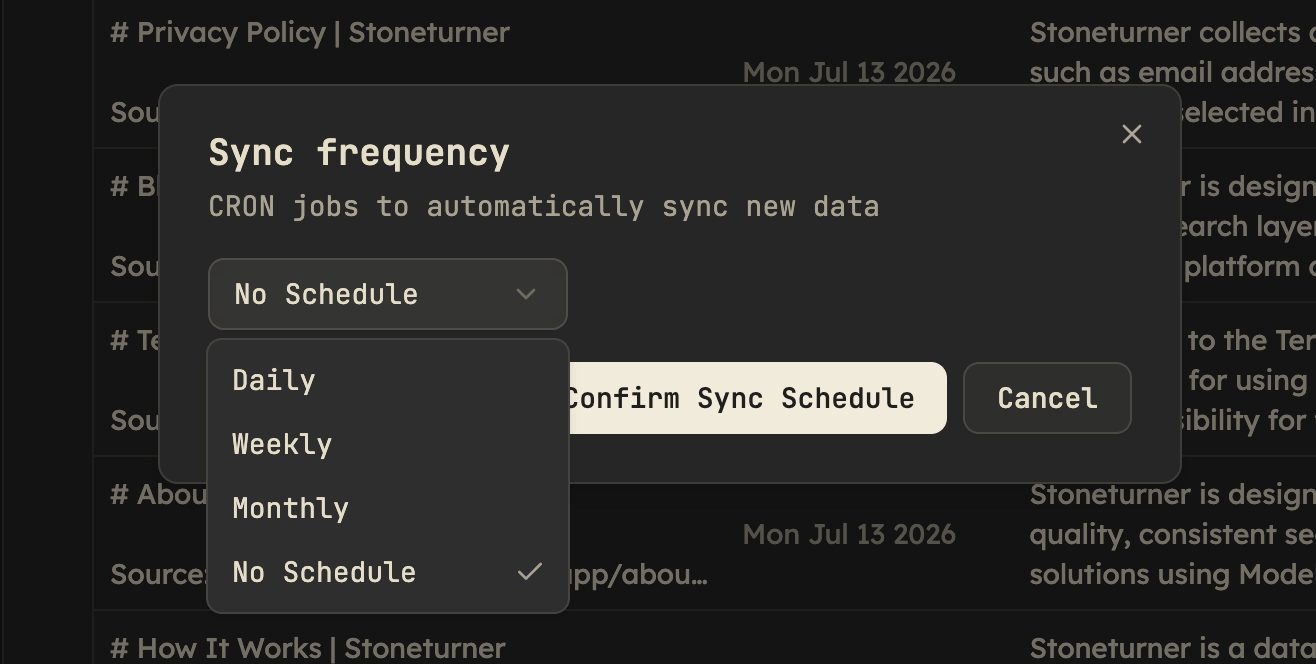
Each integration can have its own sync frequency. Configure it from the knowledge base UI — open the **Sync frequency** dialog (`sync-schedule-dialog.tsx`) and choose **Daily**, **Weekly**, **Monthly**, or **No Schedule**.
 ## Retries
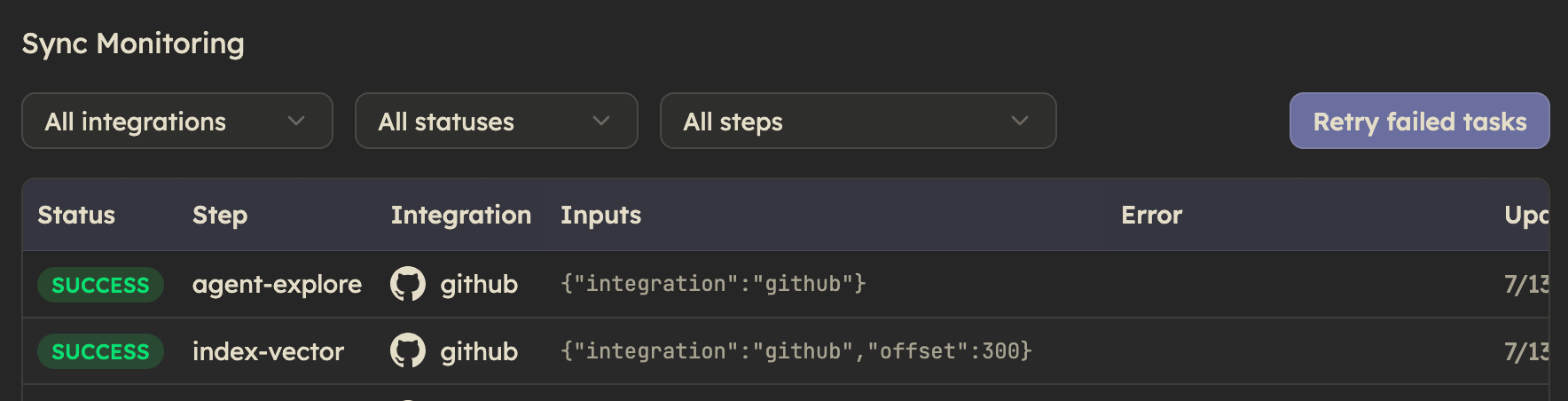
When a pipeline step fails, it writes a `syncTask` row with `status: "FAILED"`, the `step` name, and `inputs` (cursor, offset, or other resume state).
These steps are retried once per day until they reach a `SUCCESS` state OR have 3 `FAILED` attempts in a row.
### Manual trigger
If you'd like to trigger a retry immediately, you can manually triggers the retry for all failed tasks in the UI.
## Retries
When a pipeline step fails, it writes a `syncTask` row with `status: "FAILED"`, the `step` name, and `inputs` (cursor, offset, or other resume state).
These steps are retried once per day until they reach a `SUCCESS` state OR have 3 `FAILED` attempts in a row.
### Manual trigger
If you'd like to trigger a retry immediately, you can manually triggers the retry for all failed tasks in the UI.
 ## Common questions
Select **No Schedule** in the sync frequency dialog. Stoneturner removes that integration's `syncPipeline` row, so the midnight scheduler ignores it. You can still trigger syncs manually.
Yes. Use the per-integration sync button in the UI, which calls `POST /api/sync/:integration` for a full sync. For an incremental sync only, use `POST /api/sync/updates/:integration`.
Check the server console. `retry-cron.ts` logs each failed retry with the integration, step name, task ID, and error message.
Deleting an integration's credential calls `DELETE /api/sync/:integration`, which invokes that integration's `deleteSync` implementation. This removes its pipeline row, purges artifacts and embeddings, and clears integration-specific data.
For a deeper look at how sync steps record progress and resume state, see [Add integrations](/add-integrations) and the [architecture](/architecture) page.
## Common questions
Select **No Schedule** in the sync frequency dialog. Stoneturner removes that integration's `syncPipeline` row, so the midnight scheduler ignores it. You can still trigger syncs manually.
Yes. Use the per-integration sync button in the UI, which calls `POST /api/sync/:integration` for a full sync. For an incremental sync only, use `POST /api/sync/updates/:integration`.
Check the server console. `retry-cron.ts` logs each failed retry with the integration, step name, task ID, and error message.
Deleting an integration's credential calls `DELETE /api/sync/:integration`, which invokes that integration's `deleteSync` implementation. This removes its pipeline row, purges artifacts and embeddings, and clears integration-specific data.
For a deeper look at how sync steps record progress and resume state, see [Add integrations](/add-integrations) and the [architecture](/architecture) page.