
The following docs are all self-contained in the Stoneturner Skill.Read the docs and then get started with the Skill
npx skills add jackmuva/stoneturner
Each integration lives in its own directory under src/integrations/ and exports two things:
  1. IntegrationConfig - this describes how users should authenticate (OAuth, API Key, etc.) and any special configurations
  2. Integration - the sync pipeline (for OAuth integrations, this includes redirect handler and refresh token mechanisms)

1. Project Setup

Clone (and star :)) the Stoeturner repo.
git clone https://github.com/jackmuva/stoneturner.git
cd stoneturner
bun install
See the Quickstart for running Stoneturner locally for any help getting the bun project up and running
While this isn’t a requirement, you/agents can reference existing integrations to build your new integration extremely quickly.
standard template
src/integrations/my-integration/
  config.ts
  integration.ts
  db/
    schema.ts
    queries.ts
  models/
    models.ts
  sync-steps/
    sync-data-step.ts
    parse-step.ts

2. IntegrationConfig Definition

In config.ts, export a config that describes how users authenticate.
config.ts
import type { IntegrationConfig } from "@/core/models/models";

export const myConfig: IntegrationConfig = {
  integration: "MyIntegration",
  icon: "/assets/my-integration.png",
  integrationType: "OAUTH",        // "BASIC_TOKEN" | "OAUTH" | "API_KEY"
  description: "My integration description", //Will be rendered in the front end
  docs: "https://docs.my-integration.com/api",
  inputs: [                                              // optional — token/key fields the user enters
    { input: "accessKey", label: "Access Key" },         // allowed keys: accessKey, secretKey, baseUrl
    { input: "secretKey", label: "Secret Key" },
    { input: "baseUrl", label: "API Base URL" },
  ],
  optionInputs?: {
    key: "field",
    label: "Optional field",
  }[],
  oauthAuthorizationUrl: "https://app.my-integration.com/oauth/authorize", // optional, but required for OAuth
};
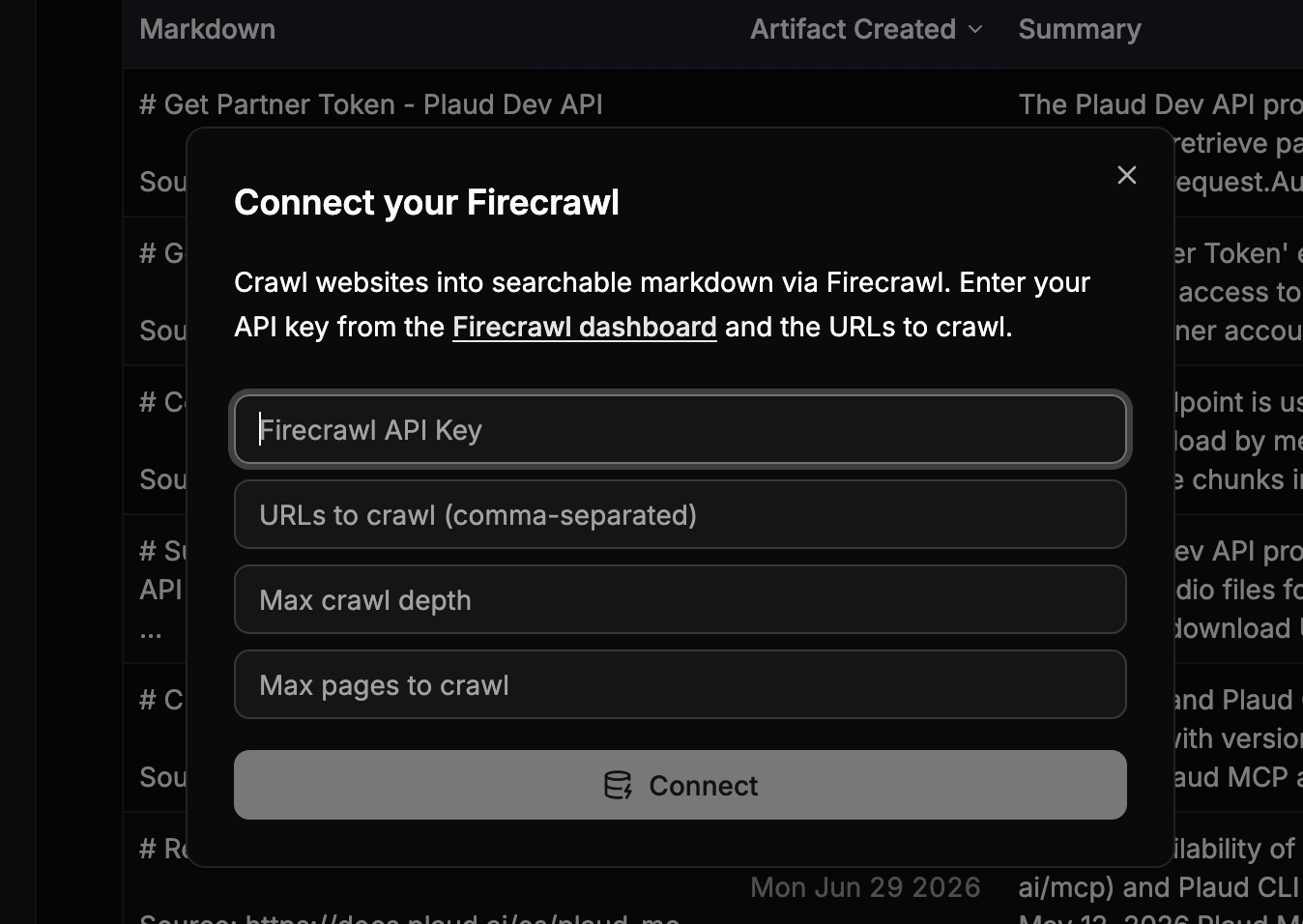
Inputs are rendered on the frontend so you can input API Keys, Client Secrets, and other configurations for Stoneturner to use during syncsintegrations
3. Integration Definition

In integration.ts, export an Integration object with your sync pipeline:
integration.ts
import type { Integration } from "@/core/models/models";
import { myConfig } from "./config";

export const myIntegration: Integration = {
  config: myConfig,
  sync: async () => { /* full sync */ },
  syncUpdates: async () => { /* incremental sync */ },
  deleteSync: async () => { /* clean up all data */ },
  handleRedirect: async (req) => { /* handle OAuth redirect */ },
  refreshAccessTokens: async () => { /* refresh OAuth tokens */ },
};
Your sync functions should generally follow the standard pipeline:
  1. Sync data
  2. Parse synced data to Markdown
  3. LLM step to extract insights for search
  4. Index vector database (embed + upsert)`.
export const syncDiscordPipeline = async (incremental: boolean = true, db: SqliteDb) => {
  await syncChannels(db);
  await syncMessages(incremental, db);
  await parseDiscordMessages(incremental, db);
  await indexVectorDbStep("discord", incremental, db);
}
Syncs also upport incremental updates (i.e. you don’t want to re-sync all data every day, incremental updates allow you to sync only new records).

4. Database Schemas and Migrations

Add your integration’s tables in src/integrations/my-integration/db/schema.ts. Each table should give every row a stable, unique business key (e.g. callId) and use onConflictDoUpdate in its insert helpers so re-syncs upsert rather than duplicate. Then point Drizzle at your new schema in drizzle.config.ts so your schema changes will be available in Stoneturner’s Turso DB.
drizzle.config.ts
export default defineConfig({
  schema: [
    './src/core/db/schema/*',
    './src/integrations/gong/db/schema.ts',
    './src/integrations/my-integration/db/schema.ts',   // add yours
  ],
  // ...
});
Finally, generate and apply migrations:
bun run generate
bun run migrate
This updates the local stoneturner.db. In dev mode (BUN_PUBLIC_DEV_MODE=true), a separate test database is created so you can iterate without affecting production data.

5. Register Your Integration

Add your config to src/integrations/config-registry.ts:
config-registry.ts
import { myConfig } from "./my-integration/config";

export const configRegistry: IntegrationConfig[] = [
  gongConfig,
  myConfig,    // add yours
];
Add your integration to src/integrations/sync-registry.ts:
sync-registry.ts
import { myIntegration } from "./my-integration/integration";

export const supportedIntegrations: Integration[] = [
  gongIntegration,
  myIntegration,    // add yours
];
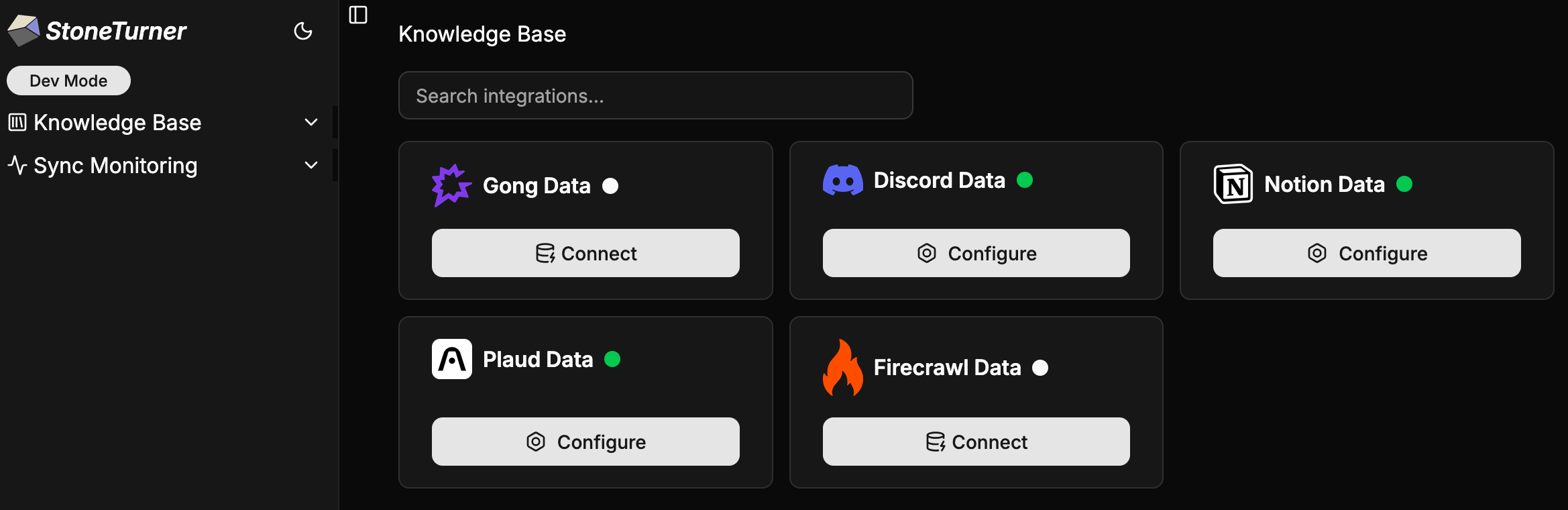
The config registry powers the frontend credential UI; the sync registry powers sync dispatch. An integration must be in both to be fully wired up.
integrations